
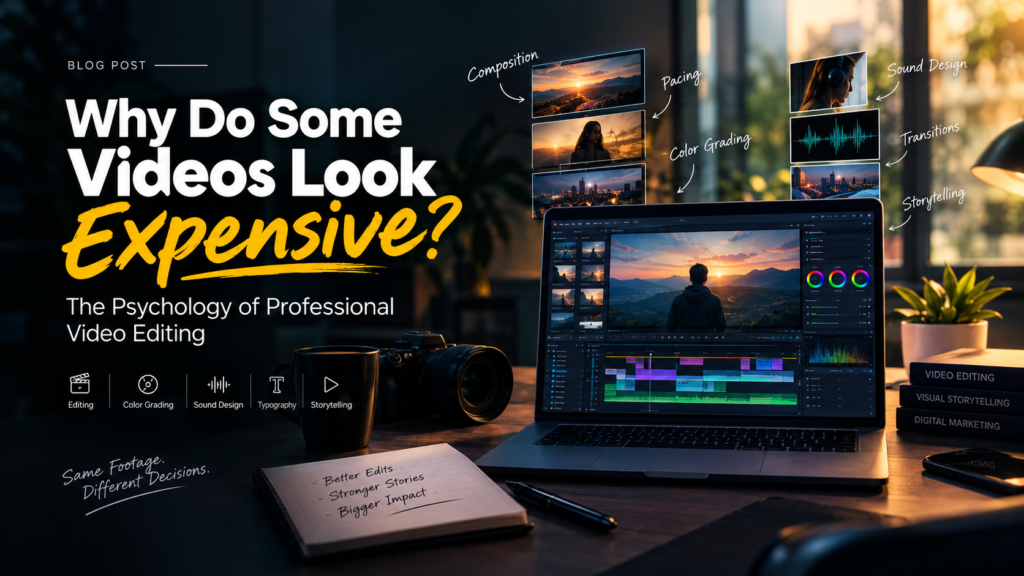
Why Do Some Videos Look Expensive? The Psychology of Professional Video Editing
By Azeez Azi | Video Editing, Visual Storytelling, Sound Design & Creative Direction
Have you ever watched a video and wondered how it looks so premium, cinematic, and professionally produced—even when it was filmed with simple equipment?
The secret is not always an expensive camera, a large production team, or a high-budget studio. Often, it is the way the footage is edited.
Professional video editing is the art of turning ordinary footage into an intentional visual experience through storytelling, pacing, sound design, color grading, composition, and creative decision-making.
A video feels expensive when every element works together. The cuts feel natural, the colors create a consistent mood, the sound adds depth, and every frame has a purpose.
As a digital marketing specialist and video editor, I believe the difference between an ordinary video and a memorable one lies in the decisions viewers may never consciously notice—but can certainly feel.
In this article, we will explore the psychology behind premium-looking videos, the professional video editing techniques that create this perception, and how editors can use these principles to produce more engaging content for brands, businesses, and social media.
What Makes a Video Look Expensive?
A video looks expensive when its visual composition, editing rhythm, sound design, color grading, typography, and storytelling create a consistent and intentional experience.
Although professional equipment can improve production quality, expensive-looking videos do not necessarily require expensive production.
The perceived quality of a video often comes from six fundamental elements:
- Composition: Every frame has a clear visual focus.
- Pacing: The timing of each shot supports the message.
- Sound design: Audio creates realism, depth, and emotion.
- Color grading: Consistent colors establish a recognizable visual mood.
- Motion and typography: Graphics communicate information without distracting from the story.
- Storytelling: Every scene moves the viewer toward a meaningful conclusion.
When these elements work together, even simple footage can feel polished, cinematic, and professional.
1. Composition: The First Impression Happens Before the Story
Before viewers understand what a video is saying, they see its composition.
Composition determines where attention goes, what the audience notices first, and how easily they understand the scene.
Professional video editing begins with selecting shots that communicate clearly. A strong frame creates a visual hierarchy between the subject, background, lighting, movement, and negative space.
Consider two shots of the same product.
In the first, the background is cluttered, the subject is poorly positioned, and unnecessary objects compete for attention.
In the second, the product has room to breathe, the lighting emphasizes its details, and the background supports the overall mood.
The product has not changed. The viewer’s perception has.
This is why visual storytelling is about more than capturing beautiful footage. It is about directing attention.
Practical editing tip: Before adding effects, review every shot and ask three questions:
- What should the viewer notice first?
- Is anything distracting from the subject?
- Does this frame support the message?
Sometimes, removing visual distractions creates a more premium result than adding another effect.
2. Pacing: Control Attention, Not Just the Speed of Cuts
One of the most important professional video editing techniques is pacing.
Pacing is the rhythm at which visuals, dialogue, music, and information reach the audience. It determines whether a video feels energetic, emotional, informative, or unnecessarily slow.
Fast editing is not automatically better editing.
A short-form social media Reel may need an immediate hook and quick visual changes. A cinematic brand film may benefit from slower shots that allow the viewer to absorb the atmosphere.
Imagine a product advertisement that spends its first ten seconds showing unrelated cinematic footage before revealing the product.
The visuals might look beautiful, but the viewer may lose interest before understanding the purpose.
Now imagine an edit that introduces the product immediately, demonstrates its benefit, builds interest through carefully timed shots, and ends with a clear message.
The second version uses pacing to support communication.
Good pacing is not about fitting as many cuts as possible into a timeline. It is about knowing when to accelerate, when to pause, and when to let a moment speak for itself.
Practical editing tip: Match the editing rhythm to the audience, platform, message, and objective rather than following trends blindly.
3. Seamless Cuts: Make the Edit Feel Invisible
A cut may look simple on a timeline, but effective cutting requires careful judgment.
A professional editor considers movement, composition, dialogue, sound, and visual continuity when deciding where one shot should end and another should begin.
For example, a person turns their head in one shot. The next shot reveals the object they are looking at.
The transition feels natural because the audience can immediately understand the relationship between the two images.
This principle is especially useful in cinematic videos, interviews, product advertisements, YouTube content, and narrative filmmaking.
Not every transition needs a visual effect.
A straightforward cut can feel more sophisticated than a complicated transition when it preserves the flow of the story.
The goal is not to make viewers notice the editor’s technical ability. It is to help them experience the story without unnecessary interruptions.
Practical editing tip: Review your cuts without focusing on the effects. If the sequence feels confusing or distracting, reconsider the timing, shot order, or visual relationship between clips.
4. Sound Design: The Invisible Ingredient of Premium Video
Sound is one of the most overlooked elements of professional video production.
A beautifully composed shot can lose much of its emotional impact when the audio feels empty, unbalanced, or disconnected from the visuals.
Sound design adds depth to a scene by combining carefully selected audio elements, such as:
- Ambient sound and room tone
- Footsteps and environmental details
- Subtle impacts and movement sounds
- Dialogue and voice-over
- Music and atmospheric textures
- Silence and intentional pauses
Imagine a product being placed on a table.
Without sound, the action may feel flat. With a carefully chosen impact, subtle environmental audio, and music that supports the movement, the same action can feel more deliberate.
The effect does not need to be loud. Often, the smallest audio details create the strongest sense of realism.
Sound design also helps connect scenes. A sound can begin before a new shot appears, or continue across a cut to make the transition feel smoother.
Practical editing tip: Listen to your video with your eyes closed. If the audio feels harsh, empty, inconsistent, or disconnected from the action, improve the sound before adding more visual effects.
5. Music: Build Emotion Through Timing
Music influences how viewers interpret a scene.
A fast rhythm can create excitement. A slow melody can introduce reflection. A minimal soundtrack can communicate sophistication, while a gradual musical build can create anticipation.
However, professional video editing involves more than placing background music beneath footage.
The strongest edits establish a relationship between music and visuals.
A cut may land on a musical accent. A product reveal may follow a gradual build. A sudden drop in the soundtrack may give a key moment more impact.
Silence can also be powerful when used intentionally.
The objective is to make the soundtrack support the story rather than compete with it.
For branded content, the choice of music should also reflect the brand’s personality and the expectations of its audience.
Practical editing tip: Choose music based on the emotion you want to communicate, then adjust shot timing and sound levels to create a cohesive experience.
6. Color Grading: Create a Consistent Visual Identity
Color grading is one of the most recognizable elements of cinematic video editing.
It can make footage feel warm and nostalgic, cool and futuristic, dark and dramatic, or clean and modern.
But a professional color grade is not simply a cinematic filter or LUT applied to every clip.
The process usually begins with color correction: balancing exposure, white balance, contrast, and consistency between shots.
Creative color grading comes afterward, shaping the overall atmosphere of the video.
This distinction matters because footage recorded under different lighting conditions can look inconsistent when placed together.
A carefully matched sequence feels unified. An inconsistent sequence can make even high-quality footage appear unfinished.
Color also plays a role in brand recognition. Repeated visual choices can help a business develop a recognizable appearance across advertisements, promotional videos, and social media content.
Practical editing tip: Correct inconsistencies first, then create a creative grade that supports the story and brand. Avoid applying the same look simply because it is trending.
7. Typography: Turn Information Into Visual Communication
Typography is more than decoration in modern video editing.
Titles, subtitles, statistics, product details, and calls to action help audiences understand information quickly, especially when watching short-form content on mobile devices.
Professional typography relies on hierarchy.
The main message should attract attention first. Supporting information should be easy to read, and smaller details should never compete unnecessarily with the headline.
Different brands also require different visual approaches.
A luxury campaign may use restrained typography and generous spacing. A sports advertisement may use bold, energetic text. A technology brand may benefit from a clean, modern system.
Readability is just as important as appearance.
Text that is too small, displayed for too little time, or placed over a busy background can make a video harder to understand.
Practical editing tip: Use a consistent type system, maintain sufficient contrast, and ensure important text remains readable on mobile screens.
8. Motion Design: Make Every Movement Meaningful
Motion graphics can transform static visuals into dynamic storytelling elements.
A title can enter the frame to introduce an idea. A product feature can be highlighted through animation. A statistic can increase visually to emphasize growth.
However, motion is effective only when it serves a purpose.
If every element moves, the viewer has no clear visual priority. Excessive animation can also make a video feel less polished.
Good motion design answers four questions:
- What should move?
- When should it move?
- How should it move?
- Why does the movement matter?
The answers should support the message rather than demonstrate how many effects are available in the editing software.
Practical editing tip: Animate elements to guide attention, explain information, or reinforce the brand’s personality. If the animation adds no meaningful value, simplify it.
9. Transitions: Why Simplicity Often Looks More Professional
Transitions are useful tools, but they are not the foundation of professional video editing.
A hard cut can create clarity. A match cut can connect similar shapes or movements. A whip transition can maintain energy, while a fade can communicate a change in time or atmosphere.
The right transition depends on the relationship between the shots and the story being told.
Using complicated transitions between every clip can interrupt the viewing experience and make an otherwise strong edit feel unnecessarily busy.
A professional editor understands that effects should support the content.
Practical editing tip: Start with clean cuts. Introduce a transition only when it improves continuity, communicates a change, or reinforces the visual style.
10. Visual Consistency: The Foundation of Brand Recognition
A professional video should feel like a unified experience rather than a collection of unrelated effects.
Consistent colors, typography, animation, audio levels, and pacing help create a recognizable visual language.
This is particularly important for businesses and personal brands that publish content regularly.
When viewers repeatedly encounter a consistent style, they have more opportunities to associate that visual identity with the brand.
Consistency does not mean every video must look identical. Different campaigns can have different moods while maintaining a recognizable foundation.
For digital marketers, this creates a valuable connection between video editing and brand strategy.
An effective video should not only look good in isolation. It should also fit the wider communication goals of the business.
Practical editing tip: Establish reusable guidelines for color, typography, audio, motion, and logo placement while allowing enough creative flexibility for each project.
11. The Opening Hook: Give Viewers a Reason to Stay
The first few seconds of a video can strongly influence whether someone continues watching.
This is especially important for Instagram Reels, YouTube Shorts, TikTok videos, and digital advertisements, where viewers can quickly move to the next piece of content.
A strong opening does not always require a dramatic effect. It requires a reason to pay attention.
You can create that reason through:
A question: “Why do some videos look more expensive than others?”
A surprising statement: “Your camera might not be the reason your video looks amateur.”
A compelling visual: Begin with the most interesting moment in the footage.
Immediate action: Start with movement that makes the viewer curious about what happens next.
An unfinished story: Show an intriguing result and then explain how it was created.
The opening should also deliver on its promise. A strong hook followed by irrelevant content can damage the viewing experience.
Practical editing tip: Remove unnecessary introductions and bring the most relevant information closer to the beginning without sacrificing clarity.
12. Edit for the Platform and Audience
There is no universal editing style that works for every video.
A cinematic brand film, an educational YouTube video, a product demonstration, and a short-form advertisement have different objectives.
Before editing, consider four essential factors:
Audience: Who is watching, and what do they care about?
Platform: Where will the video be published?
Message: What information or story must the audience understand?
Objective: What should the viewer think, feel, or do afterward?
These questions influence the pacing, duration, framing, subtitles, sound, and visual style.
For example, an educational video may prioritize clarity and structured explanations. A product advertisement may focus on benefits and visual demonstrations. A brand film may emphasize atmosphere and emotional storytelling.
For businesses in Kerala, India, this approach can also include language preferences, regional context, audience expectations, and the platforms customers use.
The aim is not to add regional references unnecessarily. It is to make the content relevant to the people it is intended to reach.
13. Storytelling: Transform Footage Into an Experience
Raw footage contains possibilities. Editing determines how those possibilities become a story.
A compelling sequence might begin with curiosity, develop tension, introduce information, build emotion, and end with a meaningful resolution.
This structure can work in a 15-second Reel, a product advertisement, or a longer documentary.
The duration changes, but the underlying principle remains: every part of the sequence should contribute to the viewer’s experience.
Storytelling is particularly valuable in marketing because people need more than visual stimulation to understand why a product, service, or brand matters.
A video can show a product’s appearance, but a story can demonstrate how it solves a problem, improves an experience, or fits into someone’s life.
Practical editing tip: Before arranging clips, identify the central message and emotional direction of the video. Then remove shots that do not help communicate them.
14. AI in Video Editing: Faster Workflows, Better Creative Decisions
Artificial intelligence is changing how editors approach repetitive production tasks.
Depending on the software, AI-assisted tools can help with transcription, automatic captions, audio cleanup, object removal, scene detection, reframing, masking, and organizing footage.
These tools can reduce time spent on certain technical processes and make content production more efficient.
However, faster editing does not automatically produce better storytelling.
An automated tool may identify speech, generate captions, or create multiple versions of a clip. The editor still needs to evaluate whether the final result communicates the intended message, maintains visual consistency, and suits the audience.
The most valuable approach is to use AI where it improves efficiency while applying human judgment to creative decisions.
Practical editing tip: Automate repetitive tasks when appropriate, but always review the final video for accuracy, pacing, audio quality, visual continuity, and storytelling.
15. Professional Video Editing Is Decision-Making
Learning editing software is important. Tools such as Adobe Premiere Pro, After Effects, DaVinci Resolve, and CapCut can help editors bring creative ideas to life.
But software knowledge is only one part of the craft.
The deeper skill lies in knowing what to keep, what to remove, when to cut, which sound to use, and what the audience should notice.
A 30-second advertisement may require hours of work because its simplicity depends on careful decisions.
Every frame, sound, transition, and pause contributes to the final experience.
This is why professional video editing is not measured by the number of effects used or the complexity of the timeline.
It is measured by how effectively the final video communicates its message.
My Video Editing Philosophy
My approach to video editing begins with purpose rather than effects.
Before working on a project, I consider five questions:
- The message: What needs to be communicated?
- The audience: Who is the video for?
- The platform: Where will people watch it?
- The emotion: What should the viewer feel?
- The objective: What should the viewer understand or do next?
These questions create a foundation for creative decisions.
My preferred workflow follows this sequence:
Storytelling → Pacing → Visual Composition → Sound Design → Color Grading → Motion Design → Optimization
This process helps ensure that each element contributes to the overall experience.
As a digital marketing specialist and video editor, I see video as more than a visual medium. It is a way to communicate ideas, express brand identity, and make messages easier to understand and remember.
The objective is not to create the most complicated edit. It is to create the most effective one.
Final Thoughts: Premium Video Is About Purpose, Not Effects
A professional-looking video is not necessarily the one with the most expensive equipment, the most transitions, or the most complicated effects.
It is the one where every element feels intentional.
The music supports the emotion. The cuts maintain the flow. The colors establish the mood. The typography communicates clearly. The movement guides attention. The silence creates space.
Most importantly, the story gives the viewer a reason to care.
As cameras, editing software, and AI tools continue to improve, producing video content will become increasingly accessible. But technical accessibility will not eliminate the need for creative judgment.
The real challenge will remain the same: can you make someone stop, understand, feel, and remember?
That is where video editing becomes more than a technical skill.
It becomes visual storytelling.
And when every second has a purpose, even the simplest footage can create an unforgettable experience.
Frequently Asked Questions About Professional Video Editing
1. What makes a video look professional?
A professional video combines clear composition, purposeful pacing, consistent color grading, balanced sound, readable typography, and effective storytelling. Expensive equipment can help, but thoughtful editing is essential to making footage feel polished and intentional.
2. How can I make a video look cinematic?
Start with well-composed footage, consistent exposure, natural-looking color grading, deliberate shot selection, controlled pacing, and carefully designed sound. Cinematic quality comes from how these elements work together rather than from applying a filter alone.
3. Why is sound design important in video editing?
Sound design adds realism, atmosphere, and emotional depth. Ambient audio, subtle effects, dialogue, music, and intentional silence help viewers connect with the visuals and make scenes feel more complete.
4. Does professional video editing require expensive software?
No. Professional results depend on creative judgment, technical understanding, and storytelling. Different editing applications offer different capabilities, but the software alone does not determine the quality of the final video.
5. Which video editing techniques are important for social media?
Important techniques include strong opening hooks, clear messaging, audience-focused pacing, readable captions, engaging visual composition, balanced audio, and platform-appropriate formatting. The best combination depends on the audience and campaign objective.
6. How does video editing help businesses?
Video editing helps businesses present products and services clearly, communicate brand identity, explain complex ideas, and create engaging marketing content. Its effectiveness depends on how well the video supports the business’s audience, message, and marketing goals.
7. Will AI replace professional video editors?
AI can automate parts of the editing workflow, including transcription, caption generation, and certain repetitive tasks. However, evaluating creative choices, shaping a story, understanding an audience, and maintaining a coherent visual identity still require informed judgment.
8. What is the difference between video editing and visual storytelling?
Video editing is the process of selecting and arranging footage, sound, graphics, and other elements. Visual storytelling uses those elements to communicate a message or create an emotional experience. Strong editing supports effective visual storytelling.
9. How do I choose the right editing style for a brand?
Consider the brand’s personality, target audience, message, platform, and campaign objective. Use consistent visual guidelines while adapting the pacing, sound, colors, and graphics to suit each video’s purpose.
10. What is the biggest mistake beginners make in video editing?
One common mistake is adding too many effects without considering whether they improve the story. Beginners can improve their work by focusing first on shot selection, timing, continuity, sound quality, and clear communication.
About the Author
Azeez Azi is a digital marketing specialist and video editor interested in visual storytelling, creative strategy, and content production. His approach combines marketing principles with thoughtful editing to create digital content that communicates clearly, supports brand identity, and captures audience attention.
Topics: Professional Video Editing, Cinematic Editing, Visual Storytelling, Sound Design, Color Grading, Motion Graphics, Social Media Video, Digital Marketing, AI Video Editing.
Suggested closing line: Great editing doesn’t ask how many effects you can add. It asks how much meaning you can create with every second.